The short version: how to choose a domain and host for a photo site comes down to three decisions. Pick your domain first, keep it registered separately from your hosting, and choose hosting based on how you actually publish images rather than on the cheapest plan on the sales page. A domain is the address people type; hosting is the space on a server where your pages, galleries and email live. Register the two with different companies and you keep the freedom to move hosts later without losing your address.
That last part is where a lot of photographers get stuck. Once the domain and the hosting account live inside the same dashboard, moving anything becomes a small project. Separating them takes about ten extra minutes up front.
Table of Contents
- What You Need
- How to Choose a Domain and Host for a Photo Site: Step by Step
- 1. How to Choose a Domain and Host for a Photo Site: Start With Requirements
- 2. Build a Shortlist of Domain Names That Fit Your Photography Brand
- 3. Compare Hosting by Storage, Image Delivery and Support
- 4. Check Mobile Display and Large-Image Performance
- 5. Review Privacy, Backups, Security and Ownership
- 6. Buy Through a Test Period and Document the Setup
- Common Mistakes
- Choosing the Domain Before Deciding What the Portfolio Represents
- Buying the Cheapest Hosting Plan on the Page
- Ignoring Renewal Prices and Long-Term Limits
- Locking the Domain and Host Together
- Skipping Backups and a Migration Plan
- Quick Tips Before You Publish
- Frequently Asked Questions
- Should I buy my domain and web hosting from the same company?
- Is a .com domain necessary for a photography portfolio?
- How much storage and bandwidth does a photo website need?
- Can I move my photography portfolio to another host later?
- Should I choose free hosting for a portfolio?
- Is managed hosting worth the cost for a photographer?
- Conclusion
What You Need
Before you look at a single plan, write down five things. Noticing what you cannot answer yet tells you which questions to ask a host.
- Your real image volume. Count the images you would upload in a year, then multiply by the size of the web-sized versions, not the RAW files. A portfolio of 300 images at 1.5 MB each is roughly 450 MB. A wedding photographer delivering galleries is a different number entirely.
- Peak visitors per week. A portfolio that gets a few hundred visits a month behaves very differently from a site promoted on social media after a gallery delivery.
- How you publish. Static hand-built pages, a page builder, WordPress with a gallery plugin, or a dedicated gallery platform each push you toward different hosts.
- Privacy requirements. If clients download proofs or high-resolution files, you need password protection and controls on who sees what.
- Your real budget for the first two years. Write the maximum you are comfortable paying annually, not the monthly figure that looked manageable after a discount.
Keep this list next to you while you compare. Every recommendation later in this guide ties back to one of these five answers.
How to Choose a Domain and Host for a Photo Site: Step by Step
1. How to Choose a Domain and Host for a Photo Site: Start With Requirements
Most people start by browsing names. Start instead by answering what the site has to do. If it delivers client proofs, storage limits and download controls come first. If it sells prints and presets, checkout and payment handling come first. If it exists to win search traffic for portrait work in one city, page speed and blogging tools come first.
Write those priorities in order. When two features conflict, the top one wins. Hosting plans are bundles, and no plan optimises for everything at once.
2. Build a Shortlist of Domain Names That Fit Your Photography Brand

A good domain name for a photography website is short, spells itself out loud, and matches the name on your invoices. Ten to fifteen characters is comfortable. Two or three common words beat one clever compound almost every time, because people will hear your name from a client and type it later.
Forum regulars make the same point in r/photography threads about naming a studio: assume nobody can spell your surname. Skip hyphens and skip numbers. Both get dropped by listeners, and “Studio1Photography” tells a visitor nothing.
Generate ten or twelve candidates, then check availability. Do that through two different registrars so you know the availability reading is real and not a prompt to buy now. Once you have a shortlist, compare these extensions:
- .com — the default. Familiar to clients, no explanation needed, and worth the extra effort to find a clean match.
- .photography and .studio — descriptive and usually cheaper at renewal, but some people find them harder to spell when you say them over the phone.
- .photo — short, but the most crowded corner of the market for existing photography brands.
Whichever extension you pick, check three things before you pay: the renewal rate, not the promotional first-year rate; whether WHOIS privacy is included; and whether the registrar lets you change nameservers without contacting support.
Turn on two-factor authentication the moment the account exists. And use an email address at that registrar that is not the one on the domain itself. If your host ever goes quiet, an account recovery email is the way back in.
3. Compare Hosting by Storage, Image Delivery and Support
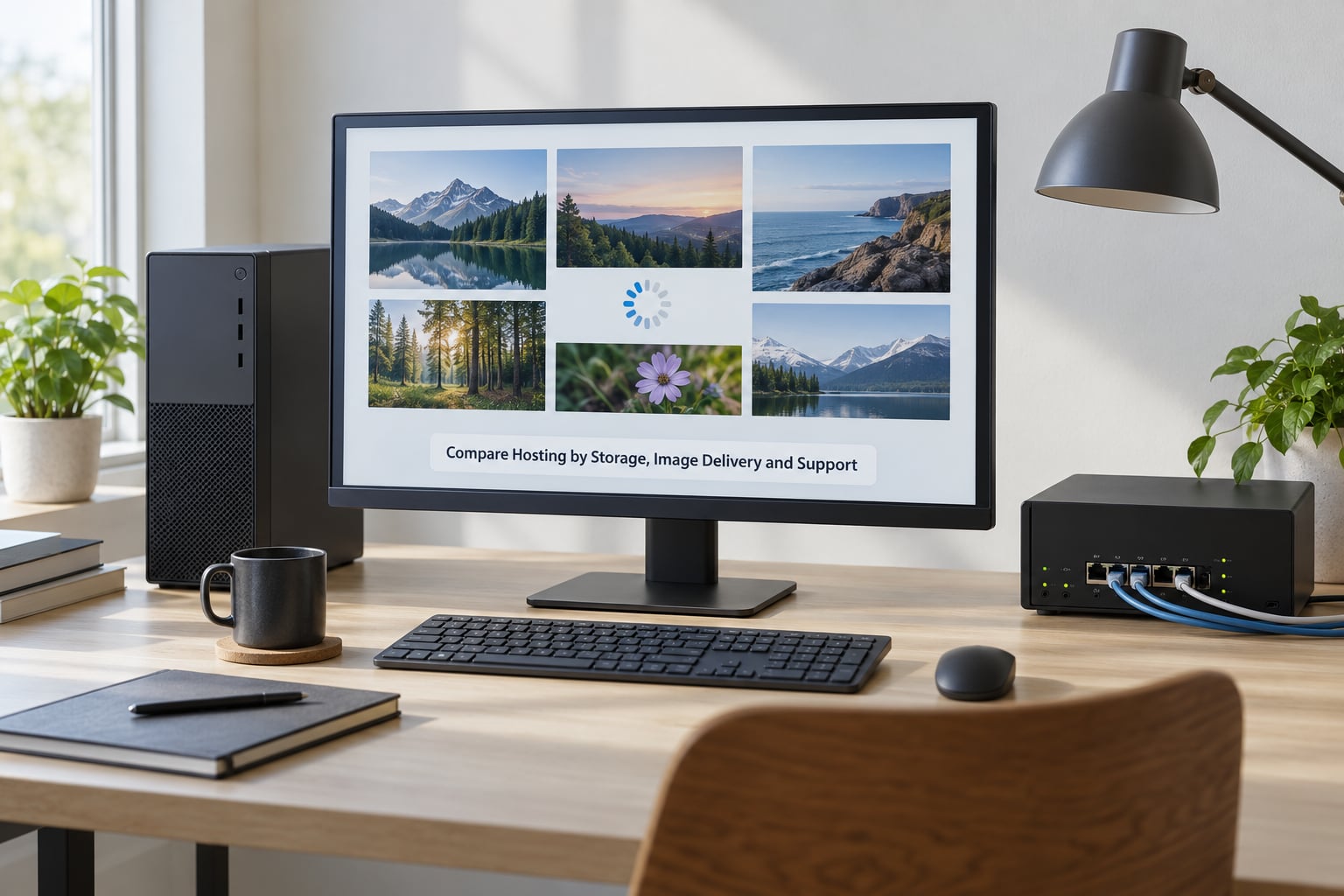
Photography website hosting splits into four families. Managed WordPress hosting handles updates, security patches and backups for you. A VPS gives you a server of your own with real control and real responsibility. Website builders host a template-driven site with no server maintenance. Gallery platforms are built specifically for delivering and selling images.
Compare them on the five things that actually break photo sites:
- Storage and bandwidth limits. Look for the real numbers, not the word “unlimited”. Many providers mean it until you reach a fair-use threshold that is never stated plainly.
- A CDN. A content delivery network serves your images from locations closer to visitors, which matters most when clients are not in your city.
- Backups. Automatic, dated, and restorable by you without opening a ticket. One restore per year is still an untested backup.
- Process and resource limits on shared plans. Shared hosts cap how many PHP processes your site may spawn. Photographers running plugin-heavy WordPress sites report hitting those caps during heavy image processing, and the site goes down mid-session.
- Support that answers. Test it. Open a ticket with a real image question and see whether you get a useful answer from a person.
Then run the concrete test. Build a temporary page with twenty of your real images, exported at web resolution, and open it on your own connection. Then test it throttled. Every image should load, stay sharp when clicked, and not stall the rest of the page while it loads.
Finally check colour handling. Screens vary, but the site should not shift hues. Test in two browsers and on a phone before you trust what you see in one.
4. Check Mobile Display and Large-Image Performance
Most of your visitors will arrive on a phone, usually right after you send them a gallery link. Open your test gallery on your own handset, not in a desktop browser’s responsive mode, and walk through it as a client would.
Check four things: that images stay sharp on the screen without zooming, that navigation is readable without pinching, that the first screen appears quickly on a weak connection, and that download sizes are sensible. A 12-megapixel JPEG sent to a phone on a slow connection is the single most common reason a client gallery feels broken.
Look for a CDN, server-level caching, lazy loading below the first screen, and modern formats such as WebP with a fallback. Keep two or three width variants of each image so the phone downloads a small file and a desktop monitor gets something sharper.
Export for the web in sRGB, at roughly 2000 pixels on the long edge for a full-screen gallery image. That is a sensible ceiling for screen viewing and keeps file sizes in a range most hosts handle comfortably.
5. Review Privacy, Backups, Security and Ownership
Two different things get called privacy, and they need separate checks. WHOIS privacy hides your personal contact details in the public domain record, and most registrars include it at no extra cost. Hosting security is about your site: HTTPS encryption, backups, and who can sign in.
Confirm the host issues an SSL certificate for your domain and that it renews on its own. A browser warning on an enquiry form costs you the enquiry.
On ownership, ask three questions of any host or builder: can I export every image and page, can I point my domain somewhere else without your permission, and is there a domain lock I can remove? If the answers are vague, that is your exit signal.
Community consensus across photography and self-hosting forums leans the same way: WordPress wins on long-term control and portability, while proprietary builders trade that away for convenience. The r/selfhosted crowd goes further and runs their own server, which is real learning value and real maintenance.
If your gallery platform requires your subdomain and will not accept a custom domain, factor that into the decision now rather than after you have built three years of galleries inside it.
6. Buy Through a Test Period and Document the Setup
Buy the smallest annual commitment you can, or one that includes a refund window, and treat the first month as a trial. Register the domain separately, with an email address you control, then point DNS at the host using the records the host gives you. Propagation usually finishes within a day. This is the least glamorous step, and it is the one that decides how painful a move would be in year three.
Write down these details the moment they are set: registrar name and login email, renewal rate, domain lock status, nameserver values, hosting plan name, backup location, and how to reach support. When something breaks at 9pm on a Sunday, this document is the difference between a five-minute fix and a lost evening.
Before the trial ends, test the whole path a client takes: landing page, gallery, enquiry form, email from your own domain, and a payment test if you sell anything. Then decide whether to renew.
Common Mistakes
Choosing the Domain Before Deciding What the Portfolio Represents
Decide first whether the name represents one brand, a collection of photography businesses, or your personal name. Registering a domain that boxes you into one direction is annoying to undo. Defend the name too: check the matching social handles and buy the obvious variations while the name is still yours.
Buying the Cheapest Hosting Plan on the Page
The cheapest plan is priced for a site with twelve small images and no plugins. Compare your realistic storage, bandwidth, backup and support needs against the plan tiers, then look at the next tier up. Forum complaints about photo sites that break under load usually trace back to an entry plan chosen for the headline number rather than the workload.
Ignoring Renewal Prices and Long-Term Limits
Check the renewal rate, the image or page limits, the account suspension rules, any restore fee, and the cancellation terms before you check out. Promotional pricing on the first year is marketing; the renewal figure is what you will live with. Providers that hide fair-use thresholds behind the word “unmetered” are telling you a limit exists. Ask what it is.
Locking the Domain and Host Together
Use an accessible registrar account, keep independent ownership credentials, and confirm you can change DNS without rebuilding anything. Registrars that treat domains as a way to sell hosting are common enough that experienced users migrate away from them over aggressive upselling. You can avoid the whole pattern by separating the two from the start.
Skipping Backups and a Migration Plan
Turn on automated backups, then test a restore. Keep your originals on at least two drives or in cloud storage that is independent of your host. Document how images, page URLs and metadata can be exported, and check that exported URLs can be redirected if you ever move. A site you cannot leave is a site you leave badly.
Quick Tips Before You Publish
- Compress every image before upload, and check the plugin settings so optimisation never overwrites your originals.
- Rename files descriptively. Filenames become image alt text and page metadata, and both help search engines understand the image.
- Add a contact form that works on a phone, since that is where most enquiries start.
- Set up custom email on your domain so your address matches your brand.
- Add analytics so you learn which pages bring enquiry forms rather than guessing.
- Launch on a temporary or hidden page first, then invite a few clients to test the gallery flow before announcing anything.
- Add a watermark to previews if clients download high-resolution files, and restrict download permissions where the platform allows it.
Frequently Asked Questions
Should I buy my domain and web hosting from the same company?
Usually not. Keeping the domain at a separate registrar means your address survives any hosting change, because the domain is just a pointer to wherever your site lives. Buying together is simpler for a first site, but it ties your professional address to a company you may want to leave. If you do bundle them, confirm you can move the domain out later without a support ticket.
Is a .com domain necessary for a photography portfolio?
No, but it is the easiest to say out loud and over the phone. Extensions like .photography and .studio are descriptive and often cheaper at renewal, yet some clients will type .com by habit. If the clean .com version of your name is genuinely available, take it. If only an awkward version is available, a tidy descriptive extension reads better than a misspelled .com.
How much storage and bandwidth does a photo website need?
Work from web-sized exports, not RAW files. A portfolio of 300 images at 1.5 MB each needs under half a gigabyte. A wedding or event photographer delivering full galleries to dozens of clients can reach tens of gigabytes, and bandwidth grows faster than storage because every visit downloads images. Add a CDN to cut repeat delivery, and read the fair-use terms rather than trusting the word unlimited.
Can I move my photography portfolio to another host later?
Yes, if you planned for it. WordPress and hand-built sites move most easily, since content can be exported as files and reimported elsewhere. Some gallery platforms and proprietary builders restrict export or keep your galleries tied to their subdomain. Before committing, ask how images, page URLs and client metadata leave the platform, and whether old URLs can be redirected after a move.
Should I choose free hosting for a portfolio?
Not for a site that represents your business. Free hosting usually comes with your subdomain rather than your own domain, an image limit, no SSL, and no reliable backup. It is fine for a private test page while you learn, but client galleries, enquiry forms and search visibility need a proper host with HTTPS and automated backups.
Is managed hosting worth the cost for a photographer?
It depends on how you like to spend your working hours. Managed WordPress hosting handles updates, patches and backups, which suits photographers who would rather edit images than maintain a server. A VPS or cloud setup costs more attention but gives full control, and forum discussion generally splits along that line of preference. If you enjoy the technical side, the unmanaged route rewards you.
Conclusion
Start with the requirements list, not the pricing page. Decide what the site has to do, register a short domain at a separate registrar, then test one host with a small temporary gallery of twenty real images. Check it on a phone, on a throttled connection, and with a password-protected gallery open. If it passes, you have your answer for 2026 and a clean record for whatever comes next.