To track photography business expenses, run every cost through one dedicated bank account, log it the same day you spend it with its receipt, and give it a category you can report on later. That is the whole system. The monthly habit takes about twenty minutes once the categories exist.
The fiddly part is not the software. It is deciding, in advance, what counts as a business cost and stopping yourself from mixing a sandwich for lunch on the way to a wedding with the fuel you burned getting there.
Money usually slips through at the edges: untracked mileage, gear receipts that sat in a camera bag until spring, and a shared family card that nobody could sort through by the deadline. The system below fixes those before they happen, and it works whether you shoot weekends or run a studio with staff.
Table of Contents
- What You Need to Track Photography Business Expenses
- Step-by-Step
- 1. Separate Business and Personal Spending
- 2. How to Track Photography Business Expenses: Pick One Method
- 3. Create Categories That Match Your Work
- 4. Capture Every Receipt and Digital Invoice
- 5. Record Mileage and Travel Details
- 6. Categorize Transactions Within 24 Hours
- 7. Reconcile Software With the Bank Each Month
- 8. Review Quarterly and Keep Records Accessible
- Common Mistakes
- Frequently Asked Questions
- Do I need to keep receipts for every photography business expense?
- How often should I update my photography business bookkeeping?
- Can I track only a percentage of my home as a business expense?
- Should I track mileage separately from vehicle expenses?
- What records should I give my bookkeeper or tax preparer at year-end?
- Conclusion
What You Need to Track Photography Business Expenses
Seven things. None of them are expensive, and most people already own all but one.
- A dedicated business bank account. One account that only ever holds photography money.
- A business credit or debit card tied to that account, so every cost leaves the same place.
- One tracking method. A spreadsheet, your banking app, or accounting software. Pick one and stop shopping.
- A receipt capture habit. Phone photos into a single album or folder, plus a place for digital invoices.
- A mileage log and the standard mileage rate for the tax year you are working in.
- A calendar with three recurring events: a weekly ten-minute sweep, a monthly reconciliation, a quarterly review.
- A secure folder for receipts and reports, backed up somewhere you actually check.
Step-by-Step
1. Separate Business and Personal Spending
Open a business account and use a card that only ever touches it. When a payment comes out of that account, you already know it is a cost of the business, which removes an entire category of guessing.
Set two rules for yourself. First, anything that serves the photography business goes on the business card, no exceptions. Second, if a purchase genuinely mixes both — a hotel room for a two-day shoot with a family holiday attached — split it on the receipt and record only the business portion against the shoot.
Commingling is what makes records useless. Once the statement is a tangle of groceries and studio rent, you are reconstructing memory at tax time, and reconstruction is where deductions quietly disappear.
How you know it works: at the end of any month, every line on the business statement is either income or a categorized business cost, with no personal spending in the list.
2. How to Track Photography Business Expenses: Pick One Method
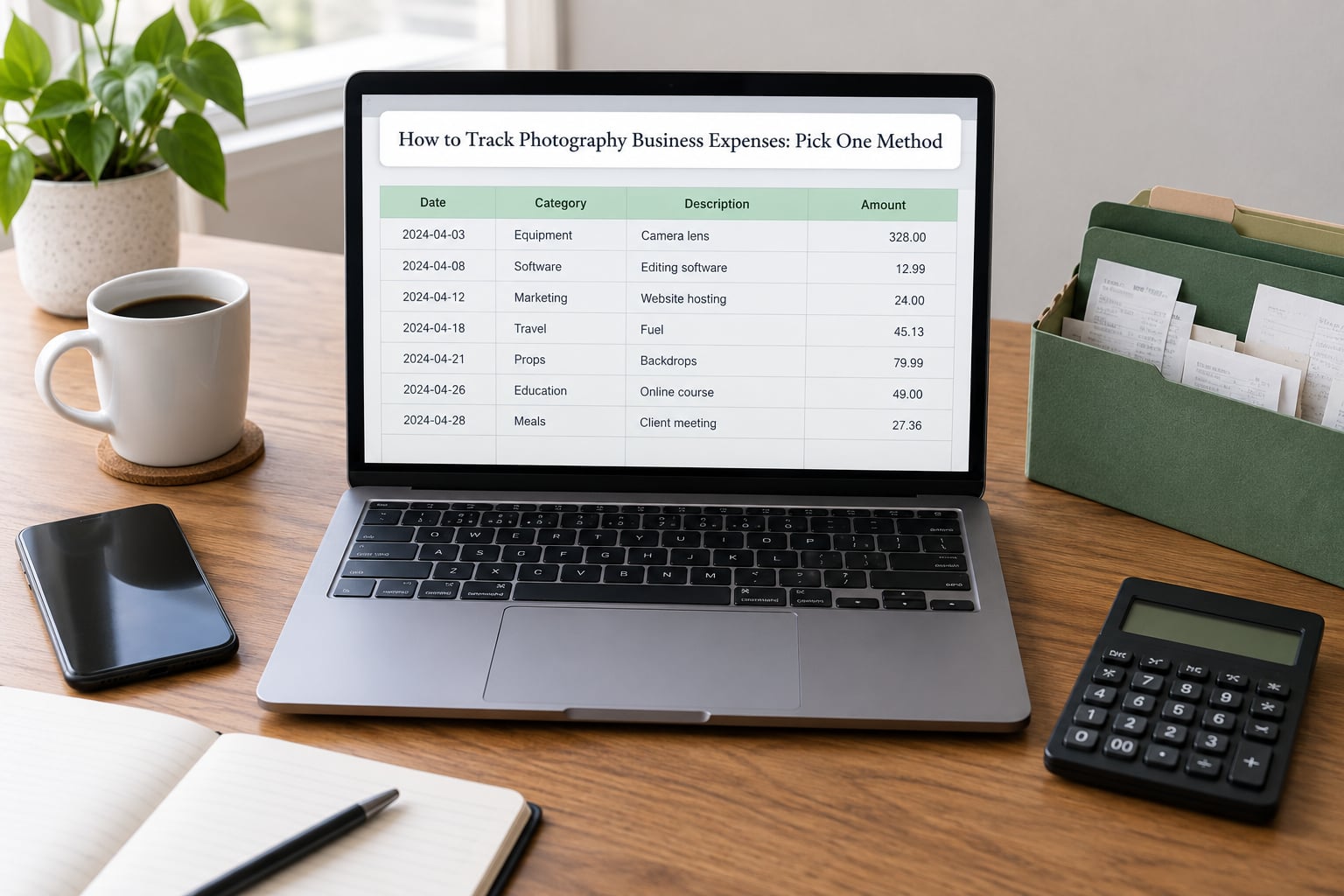
There are four realistic options, and they suit very different photographers.
A spreadsheet suits a beginner who shoots occasionally and wants zero learning curve. Google Sheets or Excel, one tab per month, one row per expense. It is free and it is enough for a first tax season. Its ceiling is low: no automatic matching, and by year two you will resent it.
Your banking app’s built-in categorizer suits someone who wants spending broken into rough groups without leaving the bank. Most banks will attach a merchant name and a broad category for free. Good enough for a snapshot, too coarse for real profit-per-shoot analysis.
General accounting software suits a working photographer who wants a profit and loss statement they can hand to a bookkeeper. These connect to bank and card feeds, read receipt photos, and produce reports by category. You trade a monthly fee for not doing the data entry yourself.
Photographer-focused business software suits someone who also needs invoicing, contracts, galleries and scheduling in the same place, and wants the accounting side to understand a shoot. It is heavier and costs more, and it is overkill if the only job is expense tracking.
The selection criterion is boring and reliable: can it connect your accounts, capture a receipt, and export a report a preparer can read? If yes, it will work. Start on the cheapest option that does all three, and upgrade only when a specific limit gets in the way.
One warning from the forums: photographers often stack a CRM, an accounting app and a mileage tracker, then forget which one holds the real data. Fewer tools beat more features when you cannot remember where the receipt went.
3. Create Categories That Match Your Work
Build your category list around your actual shoots before you import anything. A list that mirrors your work gets used; a generic one does not.
- Camera equipment and lenses — bodies, glass, tripods, filters, batteries, cards.
- Lighting and grip — strobes, continuous lights, stands, modifiers, sandbags.
- Props, sets and wardrobe — backdrop paper, furniture rentals, styling for a specific campaign.
- Software and subscriptions — editing tools, cloud storage, stock libraries, booking platforms.
- Education — workshops, mentoring, courses, certification exams.
- Insurance — equipment, public liability, errors and omissions.
- Marketing — website hosting, ads, printing, portfolio work, mailing costs.
- Travel — mileage, fuel, parking, tolls, flights, trains, accommodation.
- Vehicle costs — maintenance, insurance, cleaning for a work-used car.
- Office and studio — rent, utilities, internet, business-use share of home costs.
- Professional services — accountant, lawyer, contract retoucher, bookkeeper.
- Fees — payment processing, merchant charges, association and membership dues.
When a purchase fits two categories, use one consistent tie-breaker: charge it to the client or shoot that caused it. A lens bought specifically for a real estate contract is that job’s cost. A body you would have bought anyway is general equipment. Deciding the rule once stops arguments with yourself later.
For a solo shooter, twelve categories is plenty. Add more only when a new line of work actually starts producing costs.
4. Capture Every Receipt and Digital Invoice
Photo of the receipt, filed the same day. That is the entire workflow, and it works because the photo is the record.
Use one album on your phone, named for the purpose, and photograph each receipt flat and legible. Include the vendor name, the date and the total in the frame so you are not squinting at a fuel receipt six months later. Many tracking tools can read those details straight off the image and fill in the fields for you.
For digital invoices, download the PDF into the same folder rather than forwarding it to an inbox you will forget. Software subscriptions, cloud storage, domain renewals and gear retailers all send these, and they are the easiest documentation to lose because no paper ever existed.
Shoot days are where receipts fall through the cracks. A workflow that works well in the real estate photography community is photographing receipts straight into a shared spreadsheet, with the date, the agent’s name and any add-ons on the same line. That shoot context is what makes the expense meaningful later, so write it at capture time, not at tax time.
Every record needs four things to be worth keeping: the date, the vendor, the amount, and the business purpose in a few words.
5. Record Mileage and Travel Details
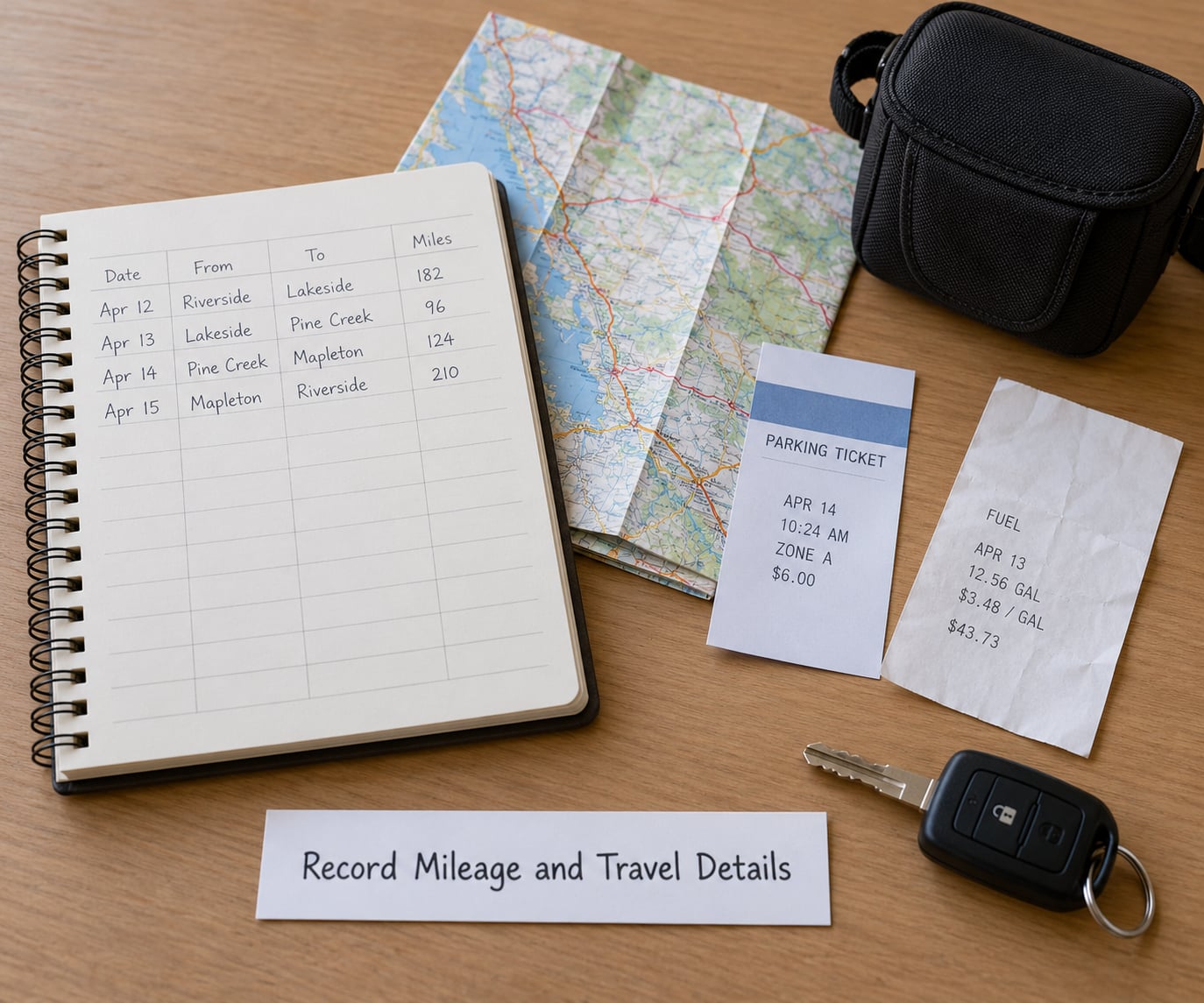
Track the days your vehicle carries your gear or you drive to a client, a location or a supplier. That is business mileage, and for most working photographers it is the single largest recurring cost after fuel — and the easiest to forget, because there is no receipt.
Log the date, the start and end locations, the miles driven, and the purpose. Some people record every trip; others record only shoot days. Either is defensible, but consistency matters more than volume. A mileage app that logs trips automatically removes the effort, which is exactly why so many people switch to one.
Check the standard mileage rate published for the tax year you are in before you start converting miles into a figure. Rates change and are set by the tax authority, not by you.
Keep mileage separate from fuel, maintenance and insurance. They are different categories with different records, and merging them makes one impossible to review later.
On travel days, also capture lodging, parking, tolls and meals, and separate the business portion from anything personal. When a shoot is a weekend at a coast, the hotel covers two nights but only one day of work, and the record should show it. Rules on which travel costs qualify vary by country and change over time, so confirm the treatment with a qualified tax professional before you commit to a figure.
How you know it worked: your mileage log has a row for every shoot in the month, and no row describes a trip you took for yourself.
6. Categorize Transactions Within 24 Hours
Set a twenty-minute block, twice a week or once a week, and process everything the bank has fed in. Twenty-four hours sounds arbitrary, and it is: fresh memory is accurate memory.
For each transaction, pick the category, add the vendor and a short business purpose, and attach the receipt. Anything you cannot place goes in an “unclear” folder to revisit, not a category called miscellaneous that quietly swallows your real costs.
Missing receipt on a card charge? Note the vendor and date now, in the row, while you still remember it. The digital record is often enough when the amount sits below the threshold your authority requires documentation for, but it does not replace a receipt where one was issued.
Before the month closes, work through the unclear pile until it is empty. That is the single best predictor of whether this system is actually working.
7. Reconcile Software With the Bank Each Month
Once a month, compare your tracking tool against the business bank and card statements, line by line. The exercise takes about twenty minutes for a solo shooter and it finds four things reliably: transactions you never logged, duplicates created by an automatic sync, categories that landed wrong, and a balance that does not agree.
Fix what you find the same day, then confirm the closing balance matches the statement to the cent. If it does not, the cause is almost always a duplicate, a missing receipt or an uncategorized transaction sitting between the two systems.
This is the step people skip, and skipping it is why they cannot answer the question “did that wedding actually make money?” A reconciled month tells you real profit. An unreconciled one only tells you what the bank did.
8. Review Quarterly and Keep Records Accessible
Once a quarter, pull a report by category and read it. You are looking for the shape of your business: what share went to gear versus software versus travel, which categories grew, and what your actual profit margin was per service type.
Set aside tax money in a separate savings account as it comes in, rather than at year end. The rate depends on your situation and your tax authority, so ask a preparer for a figure you can work from, then transfer a percentage of every client payment on the day you receive it.
Check your recurring costs too. Subscriptions you barely use, a card annual fee, a policy that has grown since last year. This is also the moment to move money between categories based on what you actually shoot, and to compare spending against a simple budget.
Export a year-end summary from your tool and store it beside your receipt folder, and keep a copy of everything in cloud storage you check. When you hand books to a bookkeeper, they should get one folder with a summary, a categorized transaction list, mileage totals, and receipts named by category. Thirty minutes of preparation saves an expensive hour of someone else’s time.
Tax rules differ by country and state, change over time, and depend on facts only a qualified professional can weigh. Treat everything here as recordkeeping practice, not tax advice.
Common Mistakes
Mixing personal and business funds. The fix is the dedicated account and card, and it starts today rather than next quarter.
Saving receipts without transaction details. A photo of a receipt with no date, vendor or purpose attached becomes unmatchable. Write the context at the moment you capture it.
Forgetting mileage. There is no receipt to remind you, so build the log into the shoot-day routine or let an app record trips automatically.
Categorizing too broadly. One “miscellaneous” category hides everything useful. Split it as soon as you see a second item land in it.
Waiting until year end. Memory does not survive a full season of shoots. Ten minutes a week does.
Duplicating transactions. Manual entry on top of an automatic bank feed creates two of everything. Pick one entry method per account.
Claiming home or vehicle costs without a method. Home office and vehicle costs follow specific rules and calculations that vary by jurisdiction, so agree the method with a professional before you record them rather than after.
Two habits do most of the work: capture on the day, and reconcile on the calendar. Everything else is detail.
Frequently Asked Questions
Do I need to keep receipts for every photography business expense?
Keep documentation for every cost you plan to claim, and paper receipts wherever one was issued. Small charges are often accepted with a bank or card record showing the vendor, date and amount, but the thresholds and what counts as acceptable vary by country and state and change over time. Photograph every receipt on the day you get it, keep digital invoices as downloaded files, and check current requirements with your tax preparer before you file.
How often should I update my photography business bookkeeping?
A ten-to-twenty-minute sweep twice a week catches transactions while you still remember why you spent the money, and a twenty-minute reconciliation against the bank statement once a month catches what fell through. Add a quarterly review of spending by category and a tax set-aside transfer. Annual-only bookkeeping is the version most photographers regret, because reconstructing nine months of receipts from memory rarely works.
Can I track only a percentage of my home as a business expense?
In many tax systems, a home used partly for work can be accounted for by applying a business-use percentage to a measured area, and the rules for how that percentage is measured differ between simplified and regular methods. Record the room, its square footage, your total living area and how you use the space, then confirm which method applies where you live. A professional can tell you what is defensible in your situation.
Should I track mileage separately from vehicle expenses?
Yes. Mileage and direct vehicle costs behave differently: mileage is a per-mile claim for the trips you drive, while fuel, maintenance, insurance and cleaning are costs you actually pay. Keeping them in separate categories makes a vehicle cost review possible and stops one from being double-counted. Log the date, route, miles and purpose for each trip, and use the standard mileage rate published for the tax year you are working in.
What records should I give my bookkeeper or tax preparer at year-end?
Give them one folder with a year-end summary report from your tracking tool, a categorized transaction list, mileage totals for the year, and receipts filed by category. Include any equipment purchases with purchase dates, and a note of anything you were unsure about during the year. Thirty minutes of preparation beforehand means an hour less billable time reconstructing history you already recorded.
Conclusion
Three things to do today. Open the business account and get the card. Choose one tracking method — a spreadsheet genuinely counts — and build your category list inside it. Then put a twenty-minute monthly reconciliation in the calendar with a name on it.
That is the whole way to track photography business expenses. Everything else, from mileage apps to accountant software, is a swap-in when the current setup hits a limit.